Blog · August 3, 2026
Little Drum Machine 1.1: It's fun to build a drum machine!
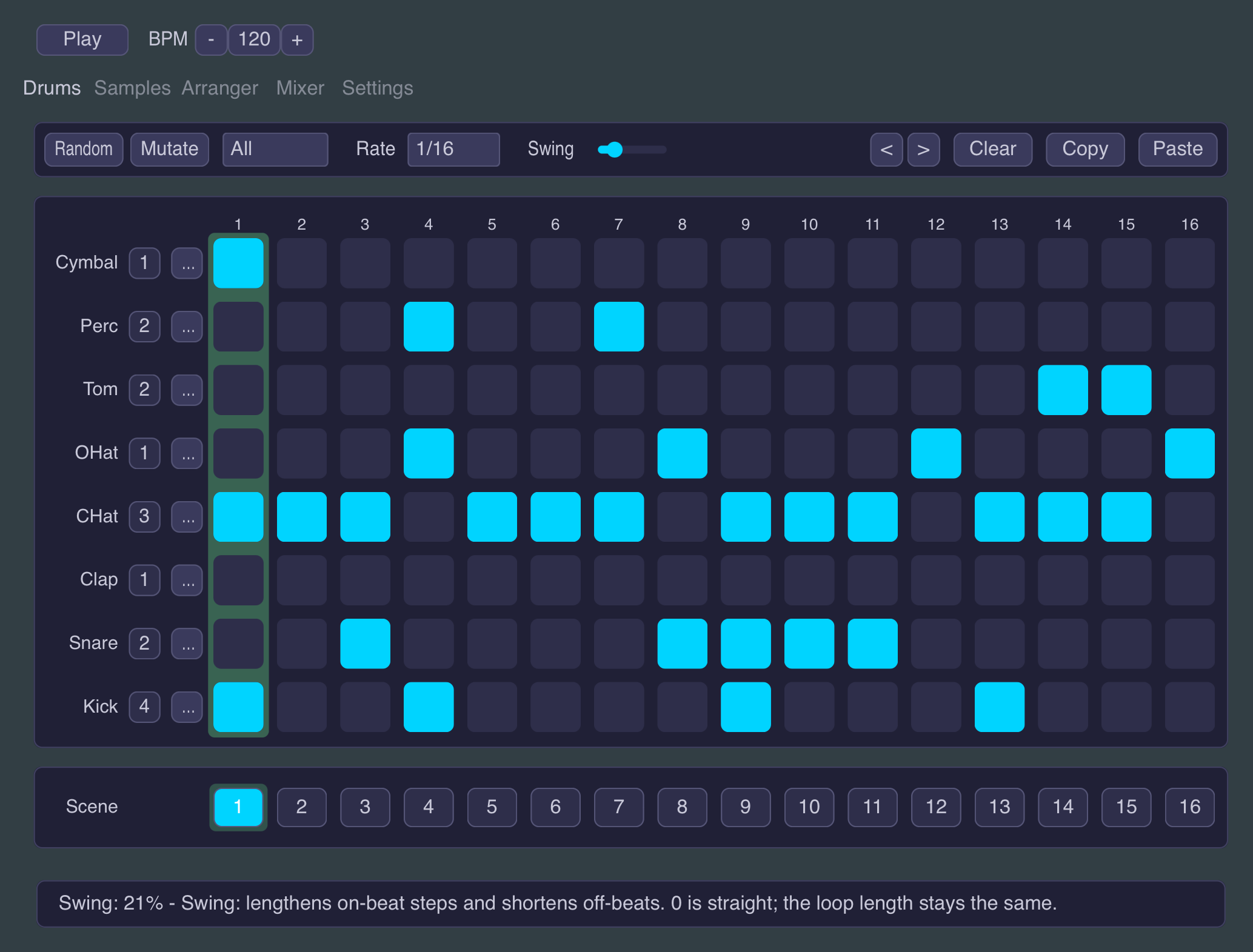
Version 1.1 was supposed to be a small update. It ended up adding an effects section, polyrhythms and polymeters, a Sample tab that tunes, trims and fades every sound, and a new batch of presets. Everything is in the free update, on Mac, Windows and iPad.
Polyrhythms and polymeters
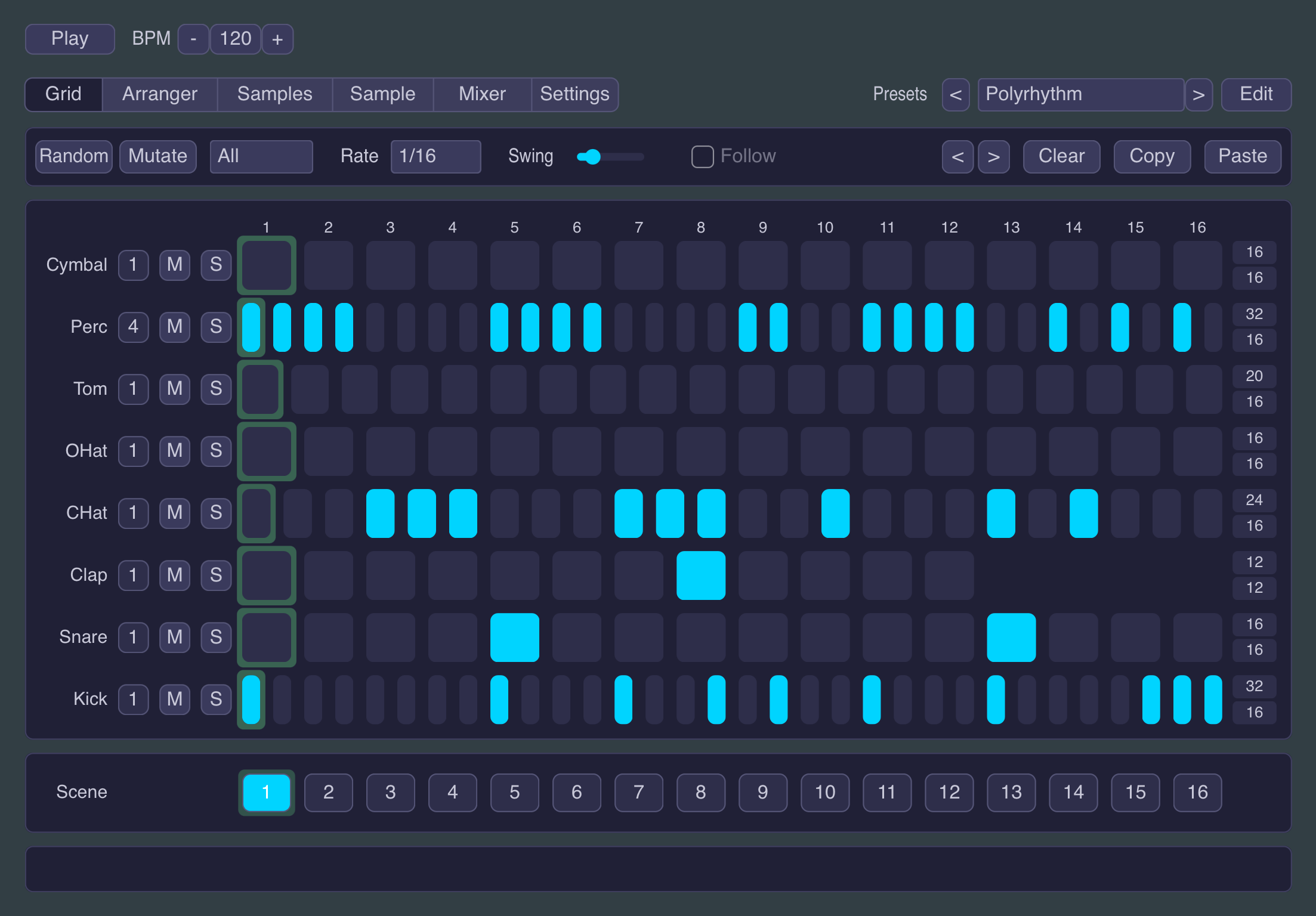
The 16-step grid is lovely right up until you want the hats in seven and everything else in four. Switch Polyrhythm on in Settings and a pair of numbers, steps and length, appears next to every lane. Drag a lane's length shorter and you get a polymeter: the same pulse, just on a shorter lap, drifting against the bar and slipping back into line on its own a few bars later. Leave the length alone and drag its steps instead, and that's a polyrhythm: eleven cells sharing the same span as everyone else's sixteen. A Phase switch decides whether lanes snap back together at every scene change or keep spinning through it, so the same grid can lock tight for a verse and quietly reshuffle itself for the next sixteen bars. Off by default, and off is exactly the classic machine it always was.
Delay, reverb, drive and compression
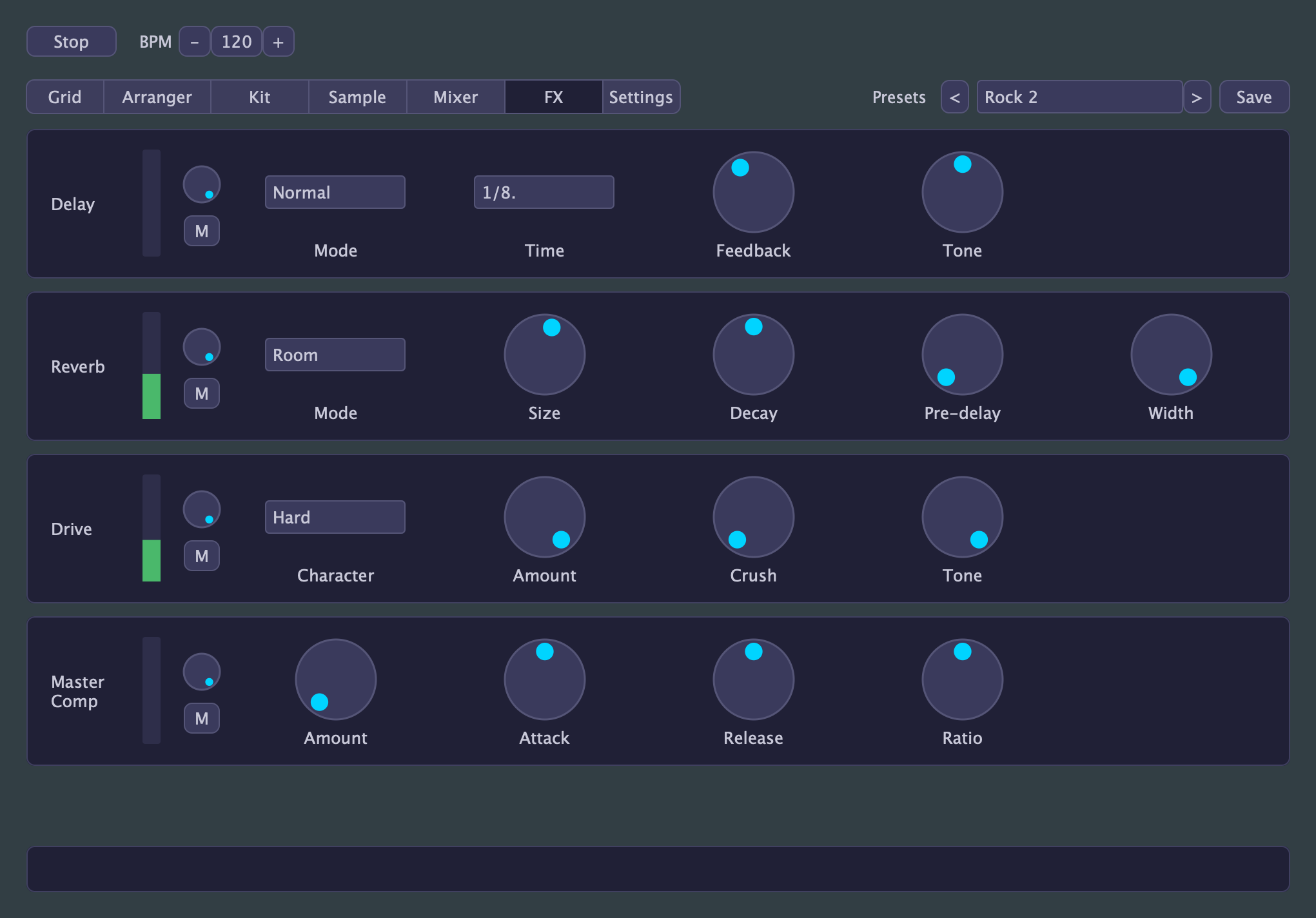
LDM had a mixer but nothing to send anywhere, so reaching for a delay or reverb meant leaving the plugin. Now it has four effects built in, sends on the Mixer and character on a new FX tab: a delay that can smear into tape-style wow and saturation, a reverb with seven genuinely different rooms (an octave-up shimmer, a hard-gated 80s snare sound, a bright tail that stays out of the low end), a drive with five characters running from a gentle warm-up to a savage octave-up snarl on one drum at a time, and a compressor (a single knob in 1.0, now with its own row: Attack, Release and a Mix dial) that can squash the whole kit hard and still keep the kick's attack poking through.
The Sample tab
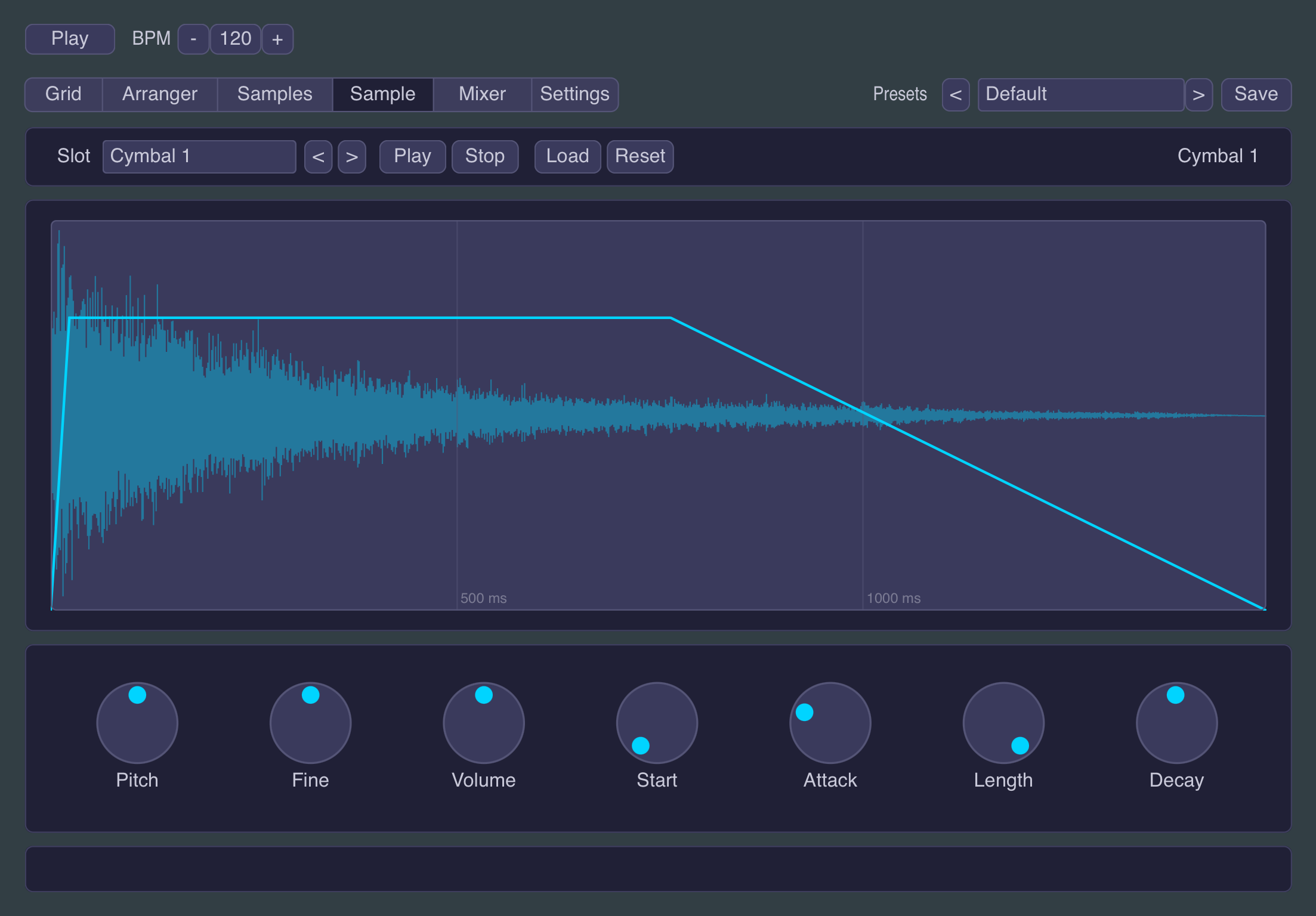
Loading your own samples was already possible; shaping them wasn't. The new Sample tab turns any of the 32 slots into an instrument of its own: tune a kick until it fits, clip a cymbal into a stab, trim the front off a sample that starts late, or turn a long crash into a swell. One library of samples becomes a much bigger one.
New presets
Three new Polyrhythm presets show off the clocks, including one that puts six lanes on cycles so out of step with each other the groove doesn't properly repeat for thousands of bars. Breakcore, Industrial, EBM and Glitch show off the FX section and are not shy about it. The rest of the bank picked up a touch of genre-appropriate delay, reverb or drive along the way.
Nothing breaks
Old sessions and presets load exactly as they did: every new effect starts at zero, sample settings start neutral, and Polyrhythm stays off unless a preset deliberately switches it on.
A free update
Little Drum Machine 1.1 is out now for Mac, Windows and iPad. Still free, still no strings attached. The desktop version (VST3 and AU on macOS, VST3 on Windows) is on the Little Drum Machine page, the iPad AUv3 is on the App Store, and the dial-by-dial reference for everything above lives in the manual.